
Home
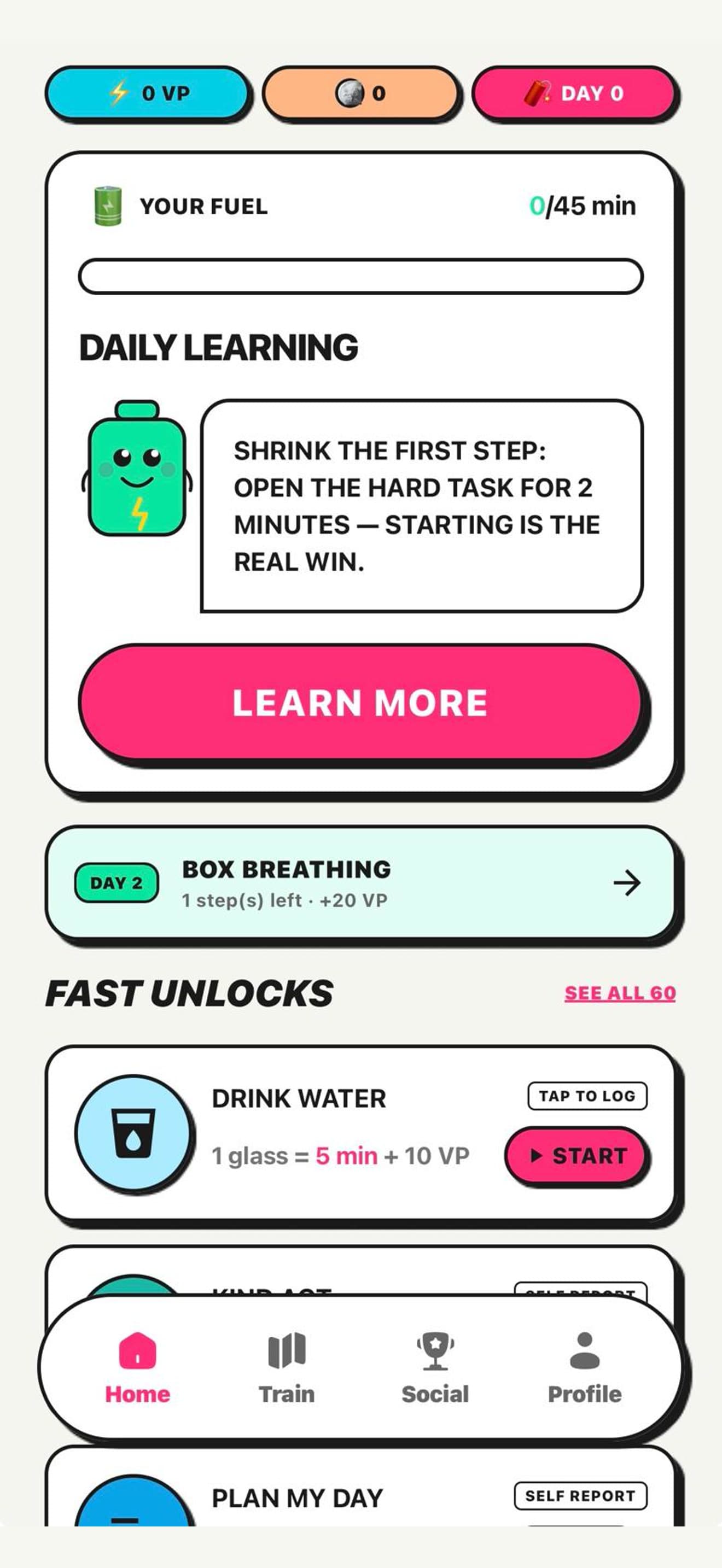
See your fuel at a glance
Your daily plan, next training step, and fast unlock activities stay in one focused home screen.
Shield distracting apps. Earn Unlock Minutes through walks, exercises, and breathwork.
Volty Habits makes screen time something you choose after real effort—not something that disappears by accident.
Your effort.
Your fuel.
A simple loop
One clear exchange: put in effort, earn focused access, then return to what matters.
Choose the apps that steal your attention. Volty Habits puts a clear barrier between impulse and opening them.
Complete a walk, verified exercise, or guided breathwork session. Real effort earns real progress.
Turn completed activities into Unlock Minutes, then spend that time intentionally on your shielded apps.
The real app
Your daily plan, next training step, and fast unlock activities stay in one focused home screen.
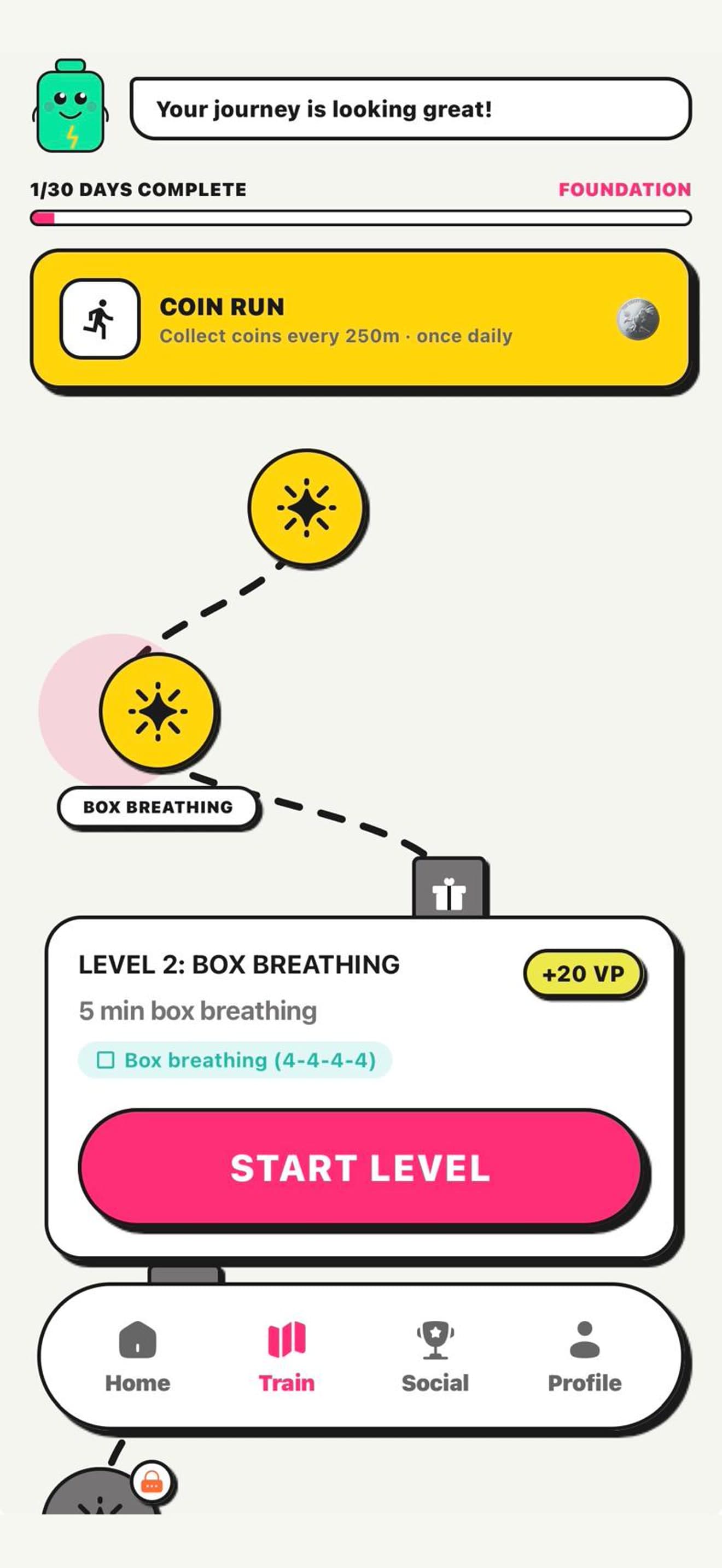
Follow a 30-day path with movement, breathing, rewards, and clear next actions.
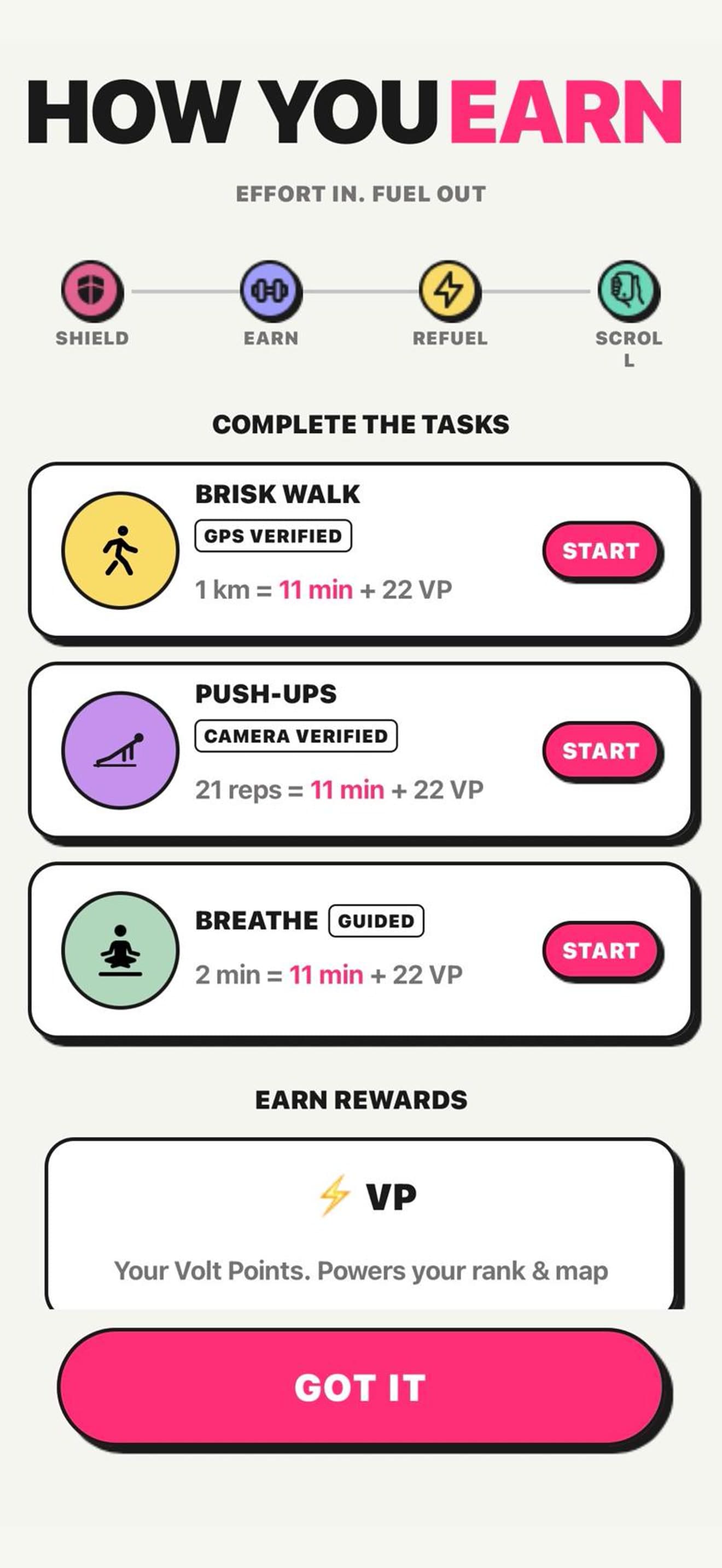
Walks use GPS, supported exercises use the camera, and breathwork offers a quieter way to refuel.
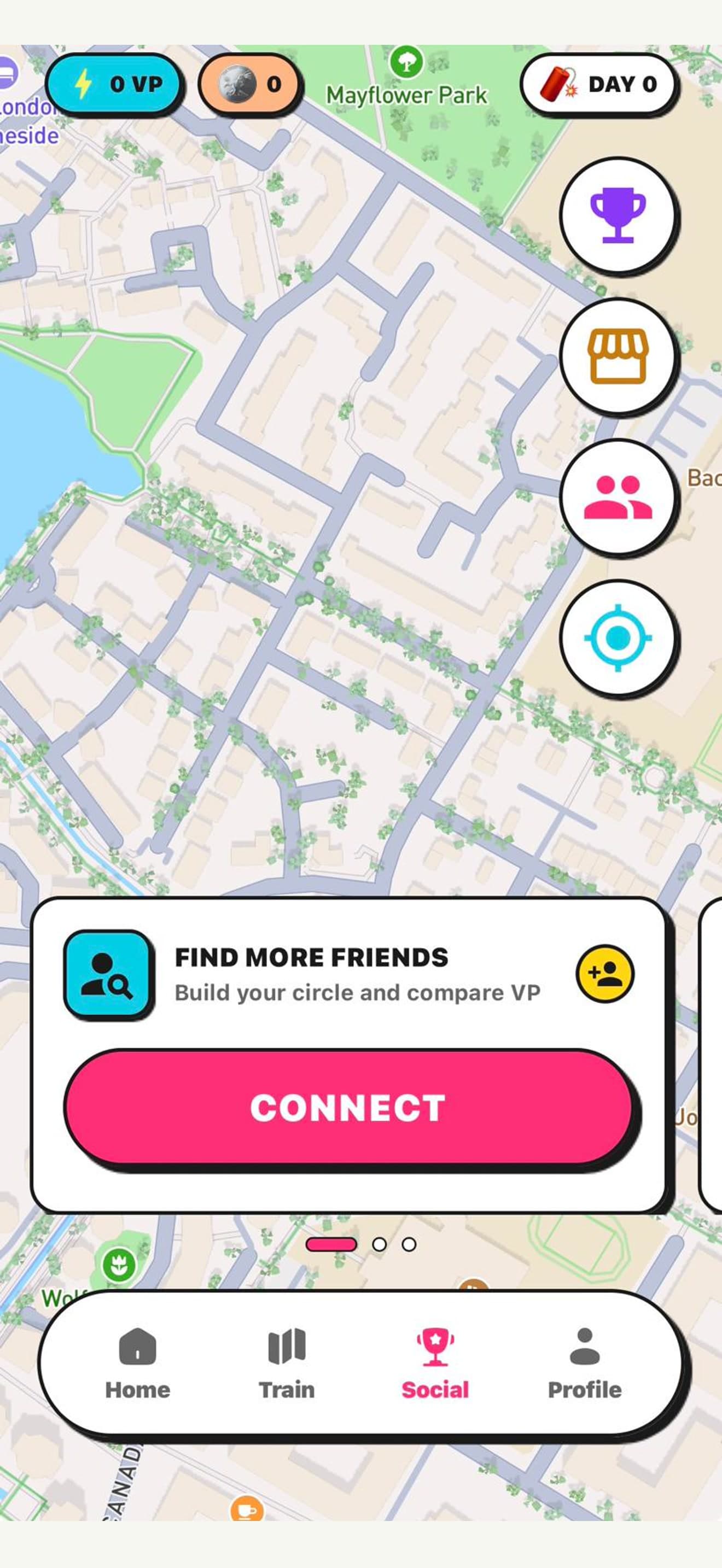
Connect with friends, compare progress, and use the social map when you choose.
Native capabilities
Volty Habits combines native device controls with movement, mapping, coaching, and social motivation.
Add friction before distracting apps open, then use earned time with intention.
Foreground location helps measure eligible walking activities and map progress.
Supported exercises use live camera processing to count movement and verify reps.
Optional live coaching can guide focused sessions and reflective habit work.
Clear permissions.
Honest controls.
Privacy & trust
Some processing happens on your device and some uses service providers. Volty Habits uses Convex for accounts and app data, Mapbox and device location for maps and GPS activities, RevenueCat for subscriptions, and OpenAI for optional voice coaching. Social features share only the profile and progress information needed to make them work.
Available now on iOS
Volty Habits is now available on the App Store. Download it and start turning screen time into something you choose.
Straight answers
Yes. Volty Habits is available now on the Apple App Store for iOS. Android availability is coming soon.
You choose distracting apps to shield, complete an eligible activity, and earn time that can be used intentionally. Activity rules and rewards are shown inside the app.
Location is used for features such as GPS-verified walks and maps. Camera access is used only when you start supported camera-verified exercises. You can decline either permission, but the related feature will not work.
No. Some camera analysis and device controls happen locally, but account, progress, subscription, social, map, and optional voice-coaching features use trusted service providers. Our Privacy Policy explains the categories and providers.
The app may offer optional auto-renewing plans. Final availability, pricing, billing period, and trial details will be shown transparently in the app and official store listing before purchase.